Tagline: Designing a clean and engaging mobile profile interface that highlights user identity and social interaction.
Role: UI/UX Designer
Timeline: 3 Days
Tools: Figma
Designed a modern social media profile interface focused on user identity, follower insights, and content engagement with a clean mobile-first layout and strong visual hierarchy.
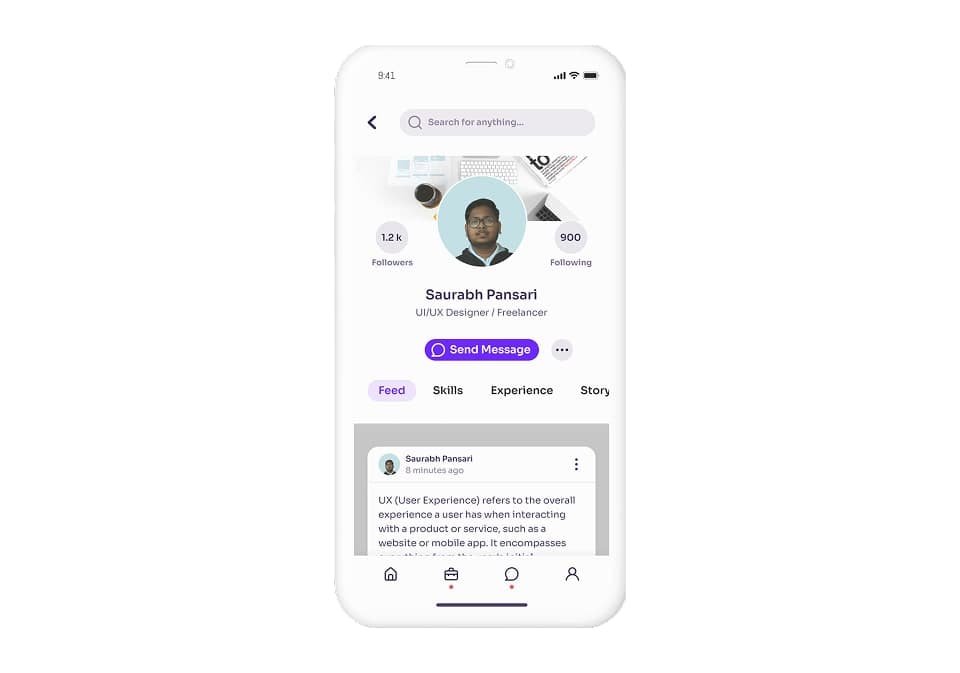
Tagline: Designing a clean and engaging mobile profile interface that highlights user identity and social interaction.
Role: UI/UX Designer
Timeline: 3 Days
Tools: Figma
This project explores the design of a social media profile interface for a mobile application.
The goal was to create a clean and modern profile screen where users can easily view personal information, follower statistics, and interact with content.
The screen focuses on presenting the user’s identity clearly while maintaining quick access to social actions such as messaging, viewing posts, and navigating different profile sections.
Social media profile pages often become cluttered with too much information, making it difficult for users to quickly understand profile details and navigate content.
A poorly structured profile screen can make it harder for users to find important information such as follower count, posts, and contact actions.
The challenge was to design a profile interface that balances personal identity, social engagement, and content visibility in a clean and intuitive layout.
The design focused on creating a mobile-friendly profile interface that highlights user identity while enabling smooth interaction.
The key goals were to clearly display profile information, make follower statistics easily visible, and provide quick access to social actions such as messaging and profile navigation.
The interface is designed for social media users who want to view profile details, explore user content, and interact with other users on the platform.
Users expect profile pages to quickly show essential information such as the user's name, follower statistics, and available actions.
The design needed to ensure that users can quickly understand the profile and engage with its content.
The design approach focused on clarity, hierarchy, and engagement.
The profile image and user name are placed at the center of the layout to establish strong identity recognition.
Follower and following counts are positioned symmetrically around the profile image to provide quick visibility.
Primary interaction such as messaging is highlighted with a prominent action button.
The screen layout follows a structured vertical hierarchy.
The top section contains the search bar and navigation controls.
The middle section focuses on the user's profile identity including profile photo, follower statistics, and action buttons.
Below the profile details, navigation tabs allow users to switch between profile content such as feed, skills, experience, or stories.
The lower section displays user-generated content in a feed format.
The visual design uses a soft purple accent color combined with light neutral backgrounds to create a modern and friendly interface.
Rounded cards and smooth shadows provide depth and improve content separation.
Typography hierarchy ensures that the user's name and key statistics are clearly visible while maintaining readability for longer content sections.
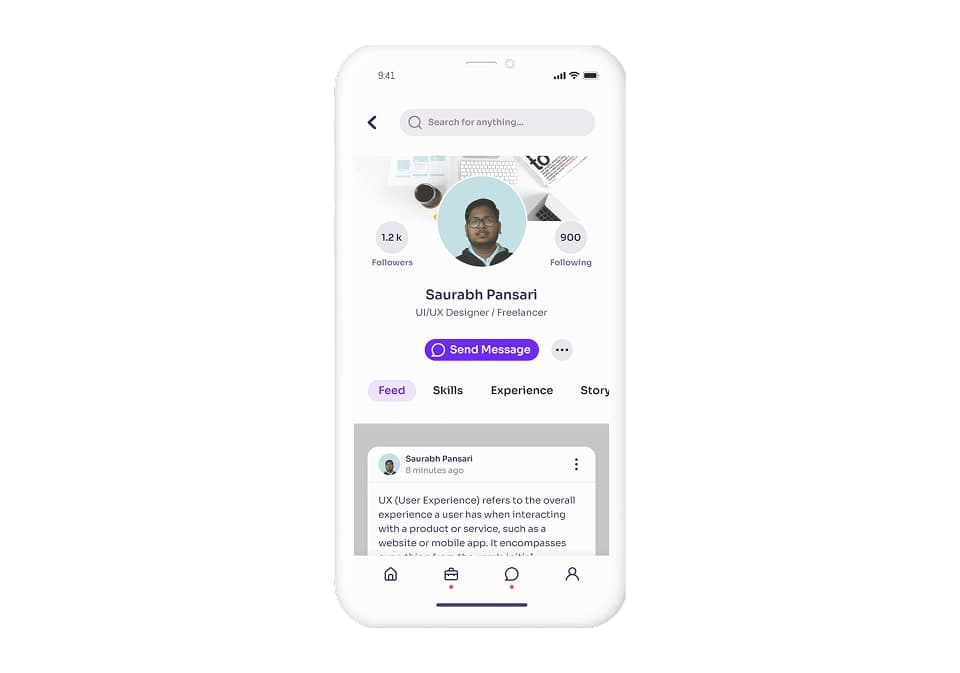
The interface includes several important UI elements that improve usability.
The profile header highlights the user's identity with a circular profile image and follower metrics.
A primary messaging button allows users to quickly start conversations.
Navigation tabs provide access to different sections of the profile.
The feed section displays recent activity or posts from the user.
The final design provides a clean and structured profile interface that highlights key information while maintaining a visually engaging layout.
The profile image, follower statistics, and messaging actions are clearly visible, allowing users to quickly understand and interact with the profile.
Designing social media interfaces requires balancing visual identity with functional interaction.
Users primarily focus on profile information, follower metrics, and content visibility when visiting profile pages.
This project reinforced the importance of strong hierarchy and minimal layout structures when designing mobile profile interfaces.
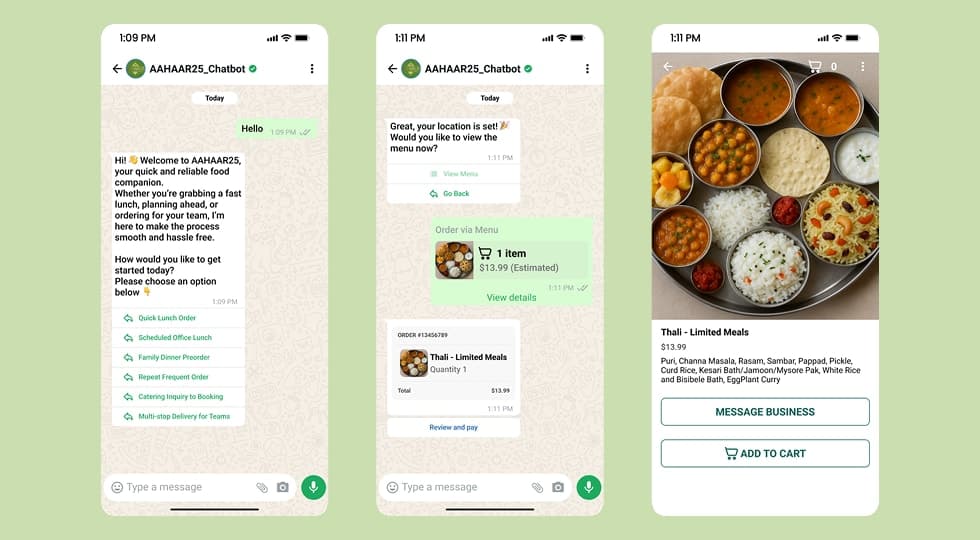
A WhatsApp-based chatbot designed to streamline food ordering and provide real-time assistance for event visitors at AAHAAR25.
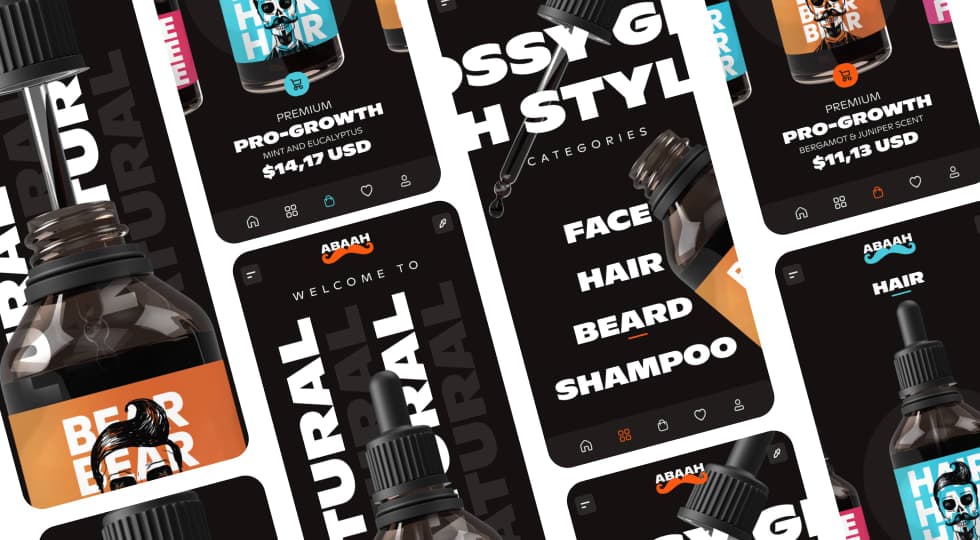
A modern mobile e-commerce concept designed for men’s grooming products, focusing on bold product visuals, category-driven browsing, and a premium shopping experience.
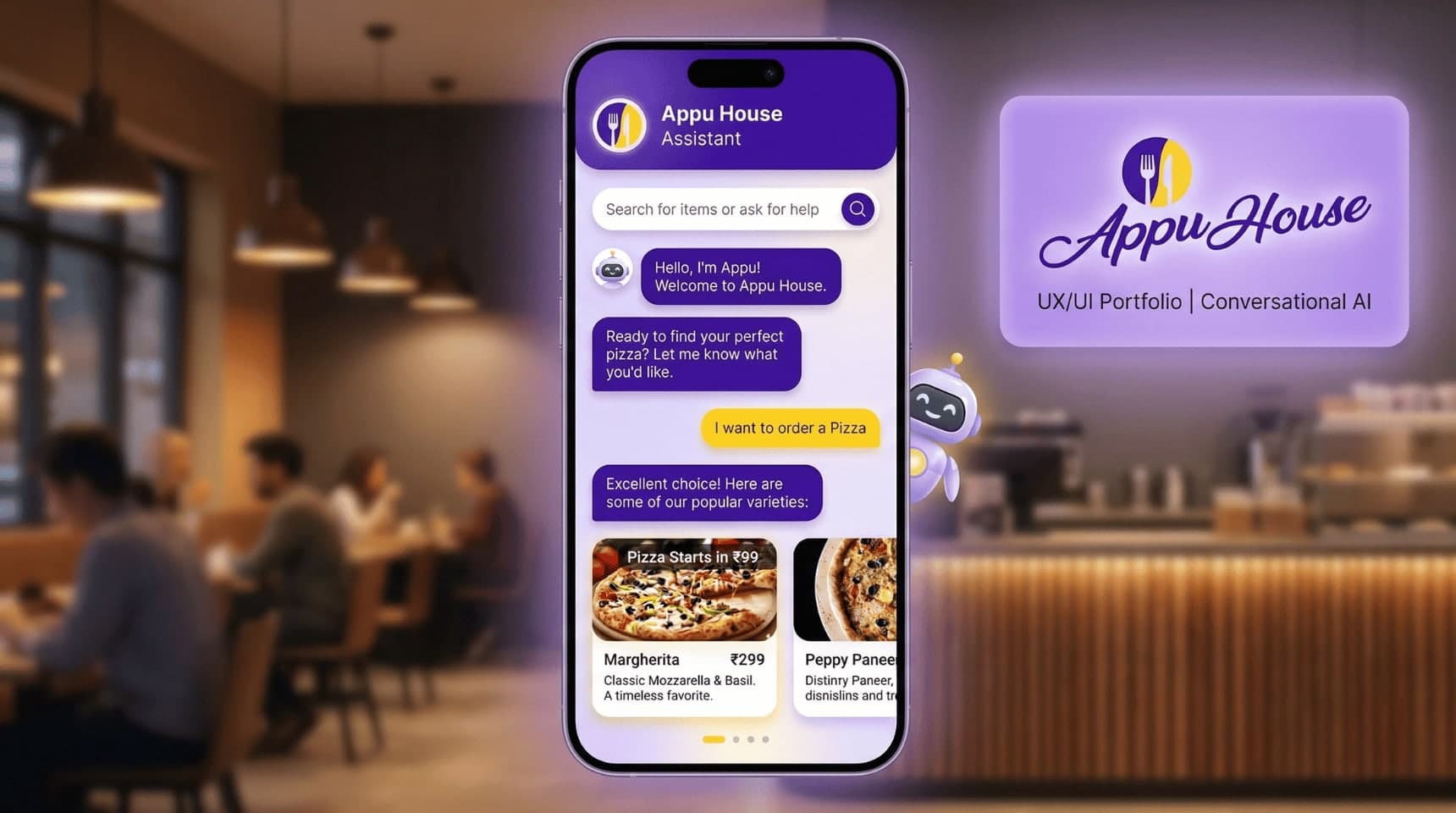
Designed a conversational food-ordering chatbot for Appu House Cafe, simplifying menu discovery and ordering through a chat-based interface to improve ordering speed and user engagement.