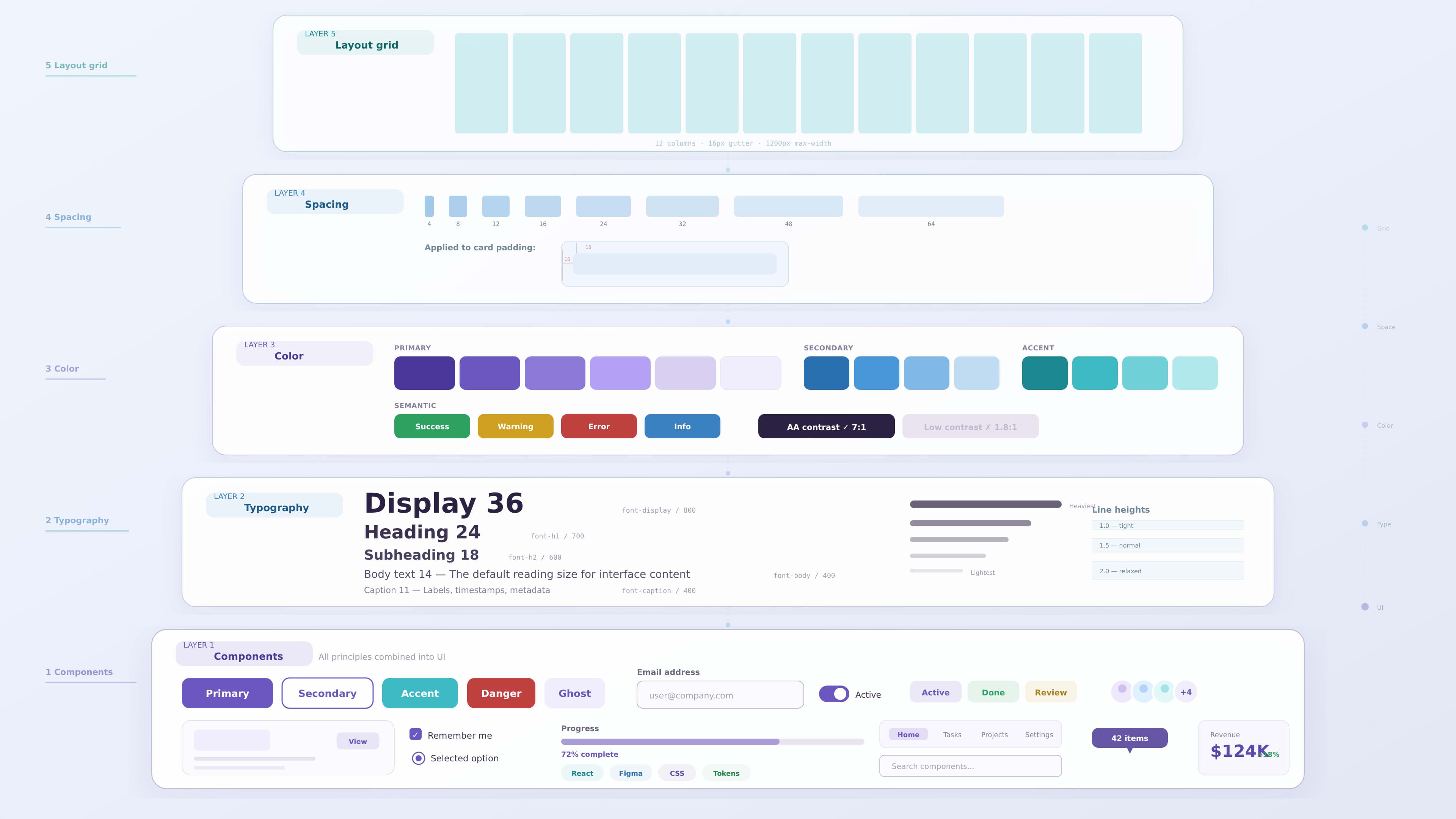
UI Design Principles Every Designer Should Know
User interface design plays a major role in shaping how people interact with digital products. A well designed interface helps users navigate systems easily, understand information quickly, and complete tasks without confusion.
Many products fail not because of poor functionality but because their interfaces are difficult to understand. Good UI design focuses on clarity, usability, and visual structure.
By applying strong design principles, designers can create interfaces that are both visually appealing and highly functional.
Why UI Design Principles Matter
UI design principles help designers create interfaces that feel intuitive and easy to use.
Without clear design principles, interfaces can become cluttered, inconsistent, and confusing. Users may struggle to find information or understand how to interact with the product.
Good UI design principles help:
- improve usability
- reduce cognitive load
- guide user attention
- create consistent experiences
A successful interface allows users to complete tasks without thinking about the interface itself.
When design principles are applied consistently, users develop confidence while interacting with the product.
Clarity and Simplicity
Clarity is one of the most important UI design principles. Interfaces should communicate information clearly without unnecessary complexity.
Users should understand what they can do and where they should go next.
Designers can improve clarity by:
- simplifying layouts
- using clear labels
- avoiding unnecessary visual elements
- prioritizing important actions
For example, a dashboard showing multiple data metrics should highlight the most important insights rather than displaying all data equally.
Simple interfaces reduce confusion and help users focus on their tasks.
Visual Hierarchy
Visual hierarchy determines how users scan and interpret information on a screen.
Designers use size, color, spacing, and layout to guide users toward important elements.
Common hierarchy techniques include:
- larger typography for headings
- bold colors for primary actions
- spacing between sections
- grouping related information together
A strong hierarchy allows users to quickly identify the most important elements on a page.
For example, on an analytics dashboard, key performance indicators should be placed at the top with larger visual emphasis.
Consistency Across the Interface
Consistency helps users learn how a product works. When similar elements behave the same way, users can interact with the interface more confidently.
Consistency includes:
- uniform button styles
- consistent icon usage
- predictable navigation patterns
- standardized spacing and typography
Design systems are often used to maintain consistency across large products.
When design patterns remain consistent, users spend less time learning the interface and more time completing tasks.
Effective Use of White Space
White space, also known as negative space, refers to the empty areas between elements in a layout.
Many designers underestimate the importance of white space. However, proper spacing improves readability and visual clarity.
Benefits of white space include:
- improving content readability
- separating interface sections
- reducing visual clutter
- highlighting key elements
Well balanced spacing creates a cleaner and more professional interface.
Clear Interaction Feedback
Users should always receive feedback when they interact with the interface.
Without feedback, users may feel uncertain whether their action was successful.
Examples of interaction feedback include:
- hover states for buttons
- loading indicators
- confirmation messages
- progress indicators
These small details improve user confidence and make the interface feel responsive.
Accessibility and Inclusive Design
Accessibility is an important part of UI design. Interfaces should be usable by people with different abilities.
Designers should consider accessibility principles such as:
- sufficient color contrast
- readable typography
- keyboard navigation support
- clear labels for screen readers
Accessible design improves usability for all users.
For example, strong color contrast improves readability not only for visually impaired users but also for users viewing screens in bright environments.
Designing for Responsiveness
Modern digital products are accessed from many devices including desktops, tablets, and smartphones.
Designers must ensure that interfaces adapt to different screen sizes.
Responsive design involves:
- flexible layouts
- scalable components
- adaptive navigation patterns
- touch friendly interactions
Designing responsive interfaces ensures users can access products comfortably across devices.
Example: Improving a Dashboard Interface
Consider a dashboard used by managers to track performance metrics.
If the interface displays many charts with equal visual weight, users may struggle to identify important insights.
A UX designer could improve the dashboard by:
1 highlighting key performance indicators
2 grouping related metrics together
3 simplifying chart layouts
4 increasing spacing between sections
These changes create a clearer and more usable interface.
Common UI Design Mistakes
Even experienced designers sometimes create interfaces that reduce usability.
Some common UI mistakes include:
- overcrowded layouts
- inconsistent design patterns
- poor contrast between elements
- unclear navigation structures
- excessive use of colors or typography styles
Avoiding these mistakes helps maintain clarity and usability.
Key Takeaways
Strong UI design relies on clear principles that improve both usability and visual structure.
Important principles include:
- clarity and simplicity
- strong visual hierarchy
- consistent design patterns
- effective use of white space
- clear interaction feedback
- accessibility considerations
Designers who apply these principles create interfaces that are easier to understand and more enjoyable to use.
Conclusion
UI design is more than creating visually attractive interfaces. It involves organizing information, guiding user behavior, and ensuring that digital products remain intuitive and accessible.
By applying strong UI design principles, designers can build interfaces that support both user needs and business goals.
Understanding these principles allows designers to create digital experiences that are efficient, engaging, and easy to navigate.