Dashboard

Work Orbit - AI Powered Project Management Workspace

A unified project management platform integrating dashboards, AI chatbot assistance, and tool integrations to streamline team workflows and productivity.

SaaS DashboardProduct DesignAI WorkspaceProject Management ToolEnterprise UXDashboard DesignDesign System
Work Orbit - AI Powered Project Management Workspace - UI/UX design case study by Saurabh Pansari

1. Project Hero

šŸš€ Work Orbit – Intelligent Project Management Platform

Work Orbit is a SaaS based project management workspace designed to help teams track project progress, manage tools, and gain real time insights through a unified dashboard.

The platform integrates project analytics, AI chatbot assistance, and third party tools to create a centralized productivity environment for modern teams.

The goal of the project was to design a data driven workspace where teams can monitor project health, integrate external tools, and interact with AI powered assistance for faster decision making.

šŸ‘Øā€šŸ’» My Role

UI UX & Product Designer

Responsibilities included

• Dashboard UX architecture
• SaaS product interface design
• AI chatbot experience design
• Integration management interface
• Design system creation

šŸ›  Tools

Designed in Figma
Prototyped using Figma Prototype
Design system documentation created in Figma
2. Project Overview

šŸ’¼ Modern teams use multiple tools to manage projects, communication, and collaboration. However, switching between different tools often leads to fragmented workflows and reduced productivity.

Work Orbit was designed as a centralized productivity workspace where teams can manage projects, connect external tools, and monitor performance metrics through a single unified platform.

The platform combines dashboard analytics, AI powered assistance, and tool integrations to create a smart workspace that improves operational visibility and team efficiency.

3. Problem Statement

⚠ Many organizations struggle with fragmented project management workflows where teams rely on multiple disconnected tools.

This results in limited visibility into project progress and inefficient team collaboration.

šŸ‘¤ User pain points

• Lack of centralized project visibility
• Switching between multiple tools for project updates
• Difficulty tracking project health metrics
• Inefficient communication across teams

ā€œI constantly switch between different tools just to understand project progress.ā€ Project Manager insight

4. Goals & Objectives

šŸŽÆ The goal of Work Orbit was to design a centralized productivity platform that improves project visibility and team collaboration.

✨ Product goals

• Create a unified project monitoring dashboard
• Enable integrations with common productivity tools
• Introduce AI powered assistance for quick insights
• Provide real time project health monitoring
• Improve team productivity through a centralized workspace

5. Target Users

šŸ‘„ Work Orbit is designed for teams managing complex projects and workflows.

šŸ‘Øā€šŸ’¼ Project Managers

Need visibility into project health, timelines, and team capacity.

šŸ‘©ā€šŸ’» Product Teams

Require collaboration tools and task monitoring.

šŸ¢ Enterprise Organizations

Need scalable project monitoring solutions.

šŸ“Š Executives

Want high level insights into project performance and progress.

6. Key Product Features

āš™ Work Orbit includes several modules designed to streamline team workflows.

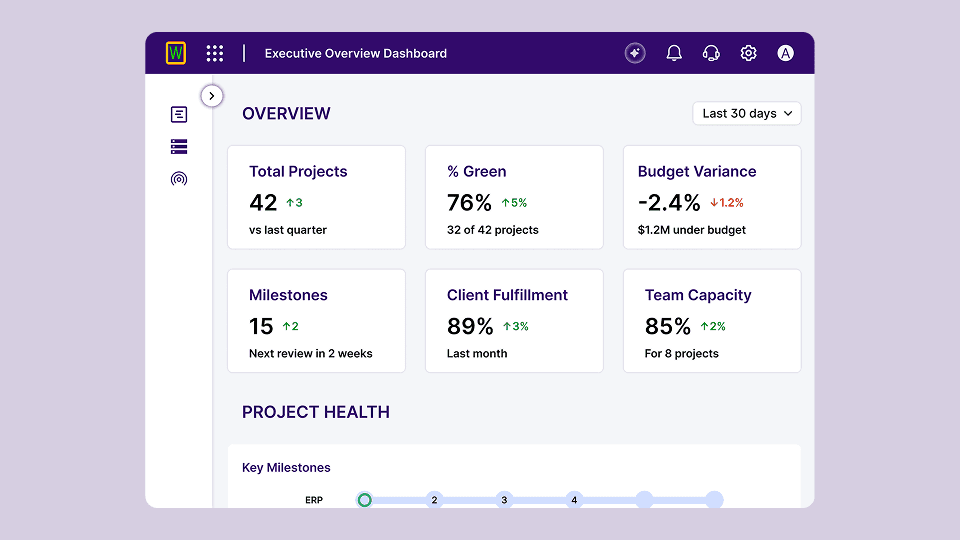
šŸ“Š Executive Dashboard

Provides real time insights into

Project status
Budget variance
Milestones progress
Team capacity

šŸ”— Tool Integrations

Allows users to connect external platforms such as

Jira
Azure DevOps
Asana

This helps teams synchronize project data across systems.

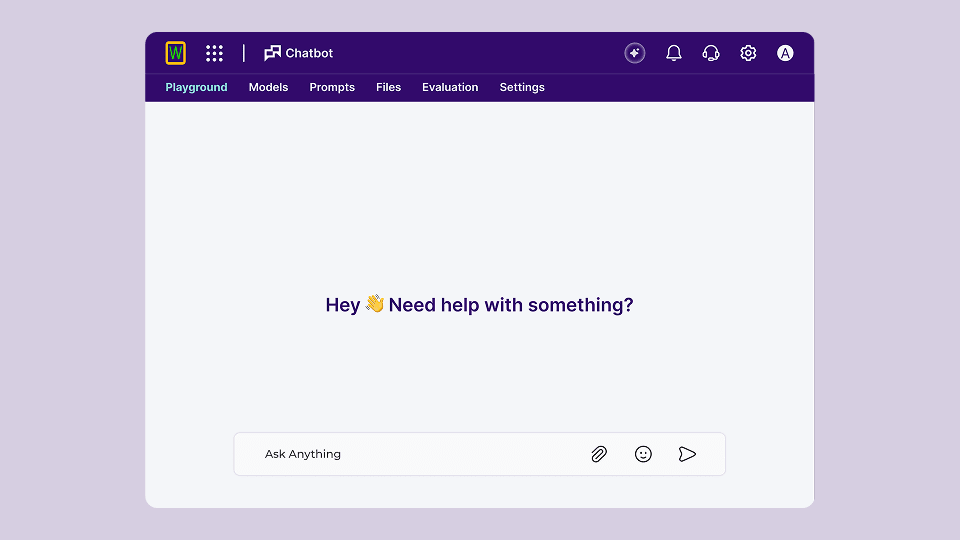
šŸ¤– AI Chatbot Workspace

An AI powered assistant helps users

Ask questions
Generate insights
Retrieve project information

šŸ“¦ Workspace Tools

Users can access multiple tools including

Dashboard analytics
AI chatbot
Integration management

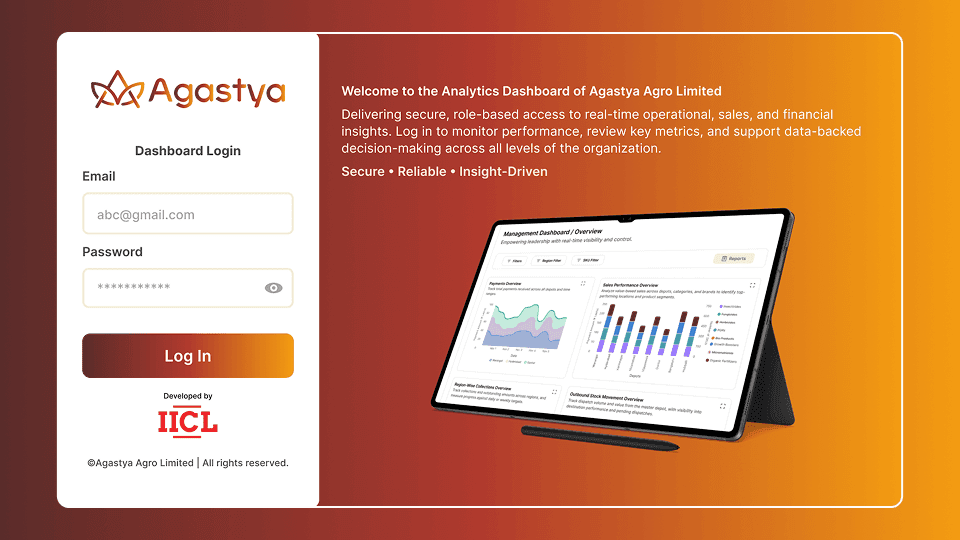
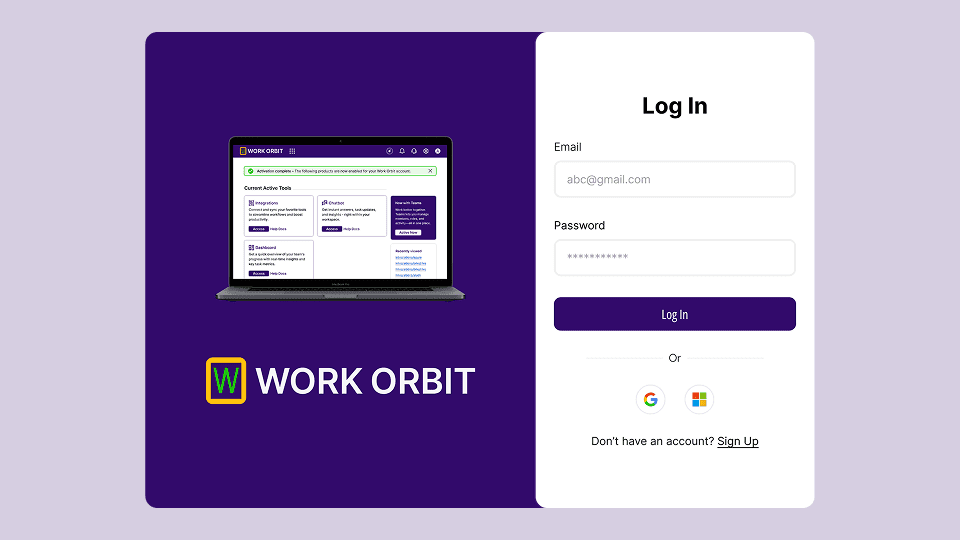
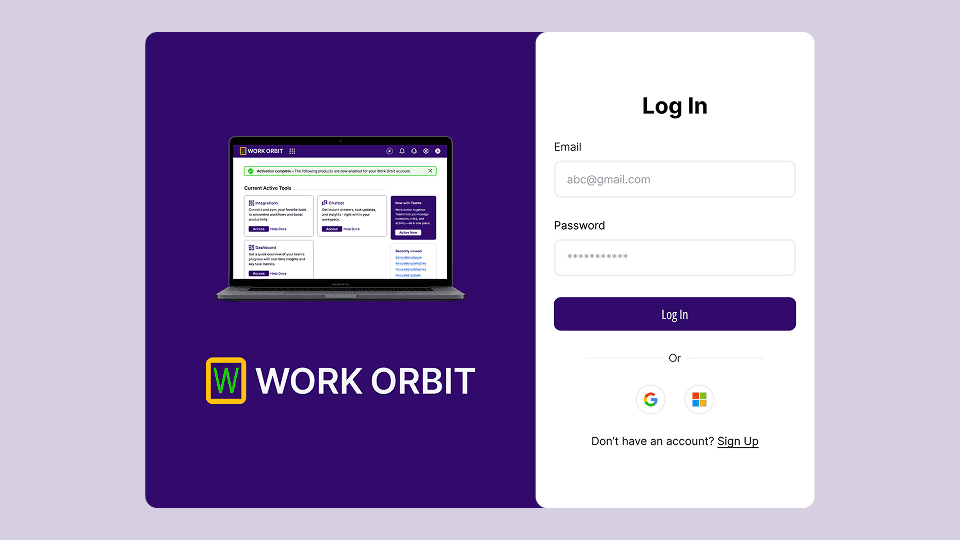
šŸ” Authentication System

Secure login experience with support for

Email login
Google authentication
Microsoft authentication

7. Information Architecture

🧠 The platform follows a modular SaaS structure designed for scalability.

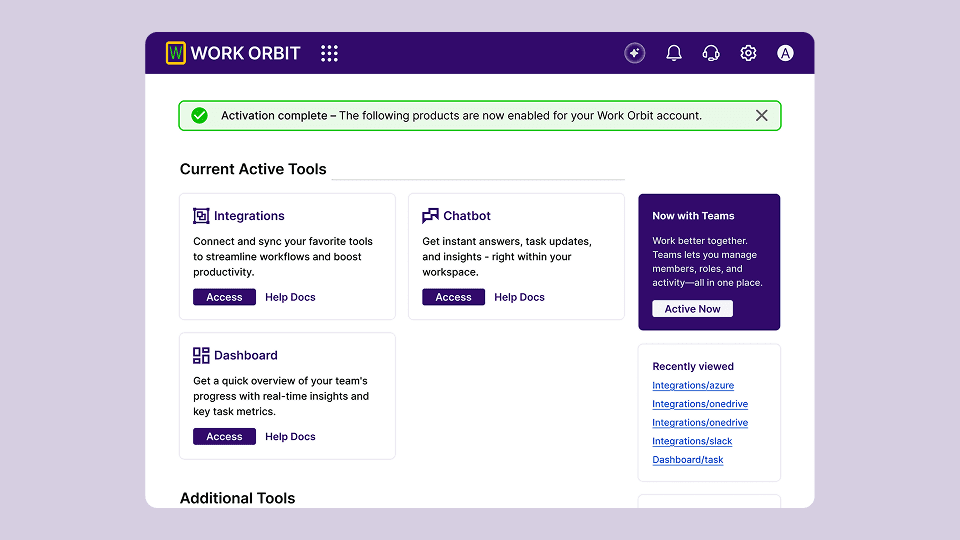
šŸ  Workspace Home

Tool overview
Active modules
Recent activity

šŸ“Š Dashboard

Executive overview
Project metrics
Team capacity insights

šŸ”— Integrations

External tool connection management

šŸ¤– AI Chatbot

Prompt playground
Model configuration
Prompt management

āš™ Settings

Workspace configuration
System settings
User preferences

8. Design Process

āœ The product design process focused on building a scalable SaaS dashboard experience.

1ļøāƒ£ Conducted research on project management tools and productivity platforms.

2ļøāƒ£ Defined core modules including dashboard analytics, integrations, and AI chatbot.

3ļøāƒ£ Created information architecture for the workspace navigation.

4ļøāƒ£ Designed wireframes for dashboard layouts and tool modules.

5ļøāƒ£ Developed high fidelity UI screens and interaction flows.

6ļøāƒ£ Created a mini design system to maintain UI consistency across the platform.

9. UX Strategy

🧠 The UX strategy focused on simplifying complex project data and tool integrations into a clear and structured interface.

✨ Key UX principles

Centralized workspace navigation

Clear project health visualization

Quick access to integrations and tools

AI assisted workflow interactions

The interface prioritizes clarity, modular scalability, and fast navigation to support enterprise productivity.

10. Key Screens

šŸ–„ The Work Orbit platform includes several core product screens.

šŸ“Š Executive Overview Dashboard

Displays high level metrics such as

Total projects
Project health
Budget variance
Team capacity

šŸ”— Integrations Page

Allows users to connect external productivity tools such as Jira, Azure DevOps, and Asana.

šŸ¤– AI Chatbot Workspace

Users can interact with AI models to retrieve insights and manage prompts.

šŸ” Authentication Screen

Secure login and onboarding interface for users accessing the platform.

šŸ  Workspace Home

Displays active tools, recent activity, and quick access modules.

Key Screens 1
Key Screens 2
Key Screens 3
Key Screens 4

11. Mini Design System

šŸŽØ A lightweight design system was created to ensure visual consistency and scalability across the platform.

🧩 Design Foundations

Typography system
Color palette
Spacing scale
Component hierarchy

šŸ“¦ UI Components

Navigation sidebar
Metric cards
Dashboard widgets
Integration cards
Buttons and input fields

šŸ“Š Data Visualization

Project metrics cards
Status indicators
Performance indicators

The design system ensures that future product features can be developed while maintaining consistent UI patterns and interaction behaviors.

12. Design Challenges

🚧 The project involved several design challenges.

Key challenges included

• Organizing complex project metrics into clear dashboard views
• Designing integrations that support multiple external tools
• Creating an AI chatbot interface that feels natural and useful
• Maintaining UI consistency across multiple product modules

13. Key Learnings

šŸ’” This project highlighted important principles in SaaS product design.

• Clear dashboards improve decision making
• AI interactions must feel simple and intuitive
• Modular interfaces support product scalability
• Design systems improve long term product maintainability

14. Final Outcome

šŸš€ Work Orbit delivers a powerful SaaS workspace that centralizes project management, AI assistance, and tool integrations into a single productivity platform.

The platform enables teams to track project performance, streamline workflows, and collaborate more effectively through a unified digital workspace.

15. Figma Prototype Embed