App

Hulu Streaming App – Mobile UI Concept

A modern mobile streaming experience designed to simplify movie discovery, playback, and offline viewing through a cinematic interface and intuitive interactions.

Mobile AppUI DesignEntertainmentStreaming Platform
Hulu Streaming App – Mobile UI Concept - UI/UX design case study by Saurabh Pansari

1. Overview & Problem Statement

Project Overview

This project explores a modern mobile streaming interface inspired by platforms like Hulu and Netflix.

The goal was to create an immersive movie browsing experience where cinematic visuals and simple navigation make content discovery effortless.

Problem Statement

Many streaming applications present overwhelming content lists that make it difficult for users to quickly discover movies.

The challenge was to design an interface that highlights featured content while maintaining an intuitive browsing and playback experience.
2. Goals & Target Audience

Goals

The goal was to design a streaming experience that allows users to discover movies quickly while maintaining a visually immersive interface.

The interface also focuses on simplifying playback actions and providing quick access to saved and downloaded content.

Target Audience

The design targets movie enthusiasts and mobile-first users who frequently watch movies and TV shows on streaming platforms.

It is particularly focused on users who prefer quick browsing, simple navigation, and visually engaging content presentation.

3. Information Architecture & Navigation

Information Architecture

The interface organizes content into clear sections such as featured movies, curated collections, and personalized recommendations.

Each section uses visual cards to present movies along with key information like ratings and genre.

Navigation Structure

Primary navigation is minimal to keep the interface clean and focused on content.

Essential actions such as search, playback, downloads, and favorites are easily accessible within the interface.

4. Design Strategy

Design Approach

The design uses a dark interface to create a cinematic environment that highlights movie posters and visual content.

Large hero banners showcase featured movies while horizontal card layouts make browsing smooth and familiar for users.

Visual Direction

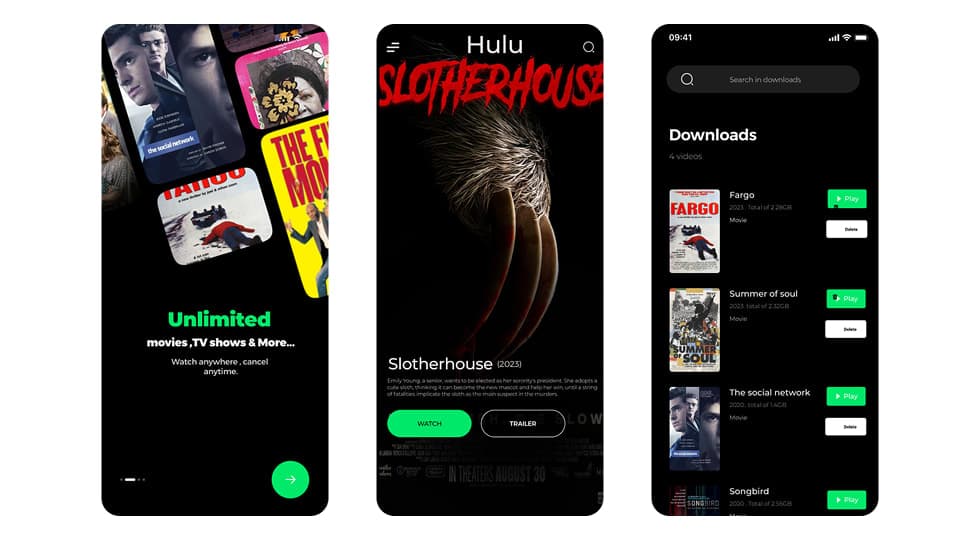
Green accent colors inspired by Hulu branding are used to highlight important actions such as play buttons and call-to-action elements.

Bold typography and immersive imagery enhance the overall viewing experience.

5. Visual Design & Key Screens

Visual Design

The interface focuses on large movie posters, dark backgrounds, and subtle green highlights to create a cinematic atmosphere.

Minimal UI elements ensure the content remains the primary focus.

Key Screens

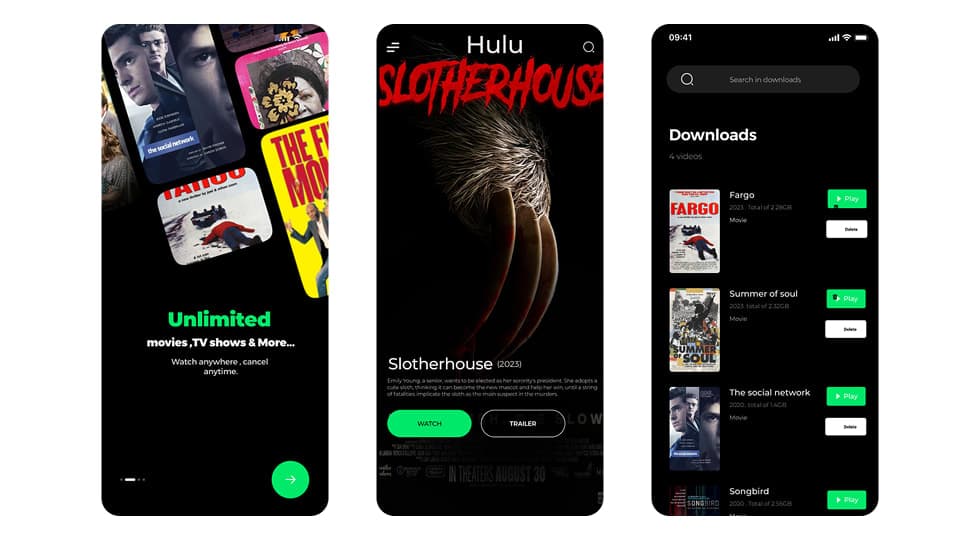
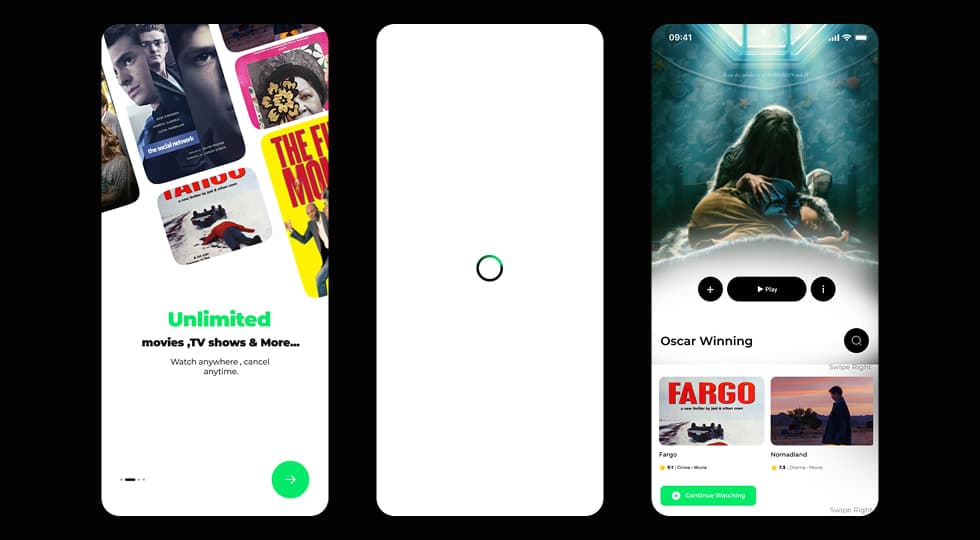
The onboarding screen introduces the platform and highlights unlimited movies and TV shows.

The home screen displays featured movies along with curated sections such as Oscar-winning titles.

The downloads screen allows users to manage offline content and quickly play or delete saved movies.

Visual Design & Key Screens 1
Visual Design & Key Screens 2

6. Interaction & Learnings

Interaction Design

Users can swipe through movie collections, access detailed movie pages, and quickly start playback with prominent play buttons.

Interactive elements such as favorites, downloads, and continue watching help create a personalized viewing experience.

Key Learnings

This project reinforced the importance of content-first design in streaming platforms.

Strong visuals combined with simple navigation patterns help users discover and watch content more efficiently.

7. Figma Prototype Embed