Website

Saurabh Pansari - Personal Portfolio Website

A modern personal portfolio website designed to showcase UI/UX projects, skills, blogs, and professional experience in a clear and engaging format.

Portfolio DesignUI DesignUX DesignPersonal BrandingWeb DesignProduct Designer Portfolio
Saurabh Pansari - Personal Portfolio Website - UI/UX design case study by Saurabh Pansari

1. Project Hero

This project is a personal portfolio website designed to showcase design projects, professional skills, and creative work in a structured and visually engaging way.

The platform serves as a central hub where recruiters, clients, and collaborators can explore projects, learn about professional experience, and understand the design process behind each case study.

The website highlights key areas such as project work, services offered, design skills, blog articles, and testimonials while maintaining a clean and modern interface.

Role: UI/UX Designer
Platform: Personal Portfolio Website
Industry: Design Portfolio / Personal Branding
2. Project Overview

Design professionals need a strong personal portfolio to effectively present their work and communicate their design thinking.

Many portfolios focus only on visual outputs without clearly explaining the designer’s skills, process, and problem-solving abilities.

This portfolio was designed to create a well-structured storytelling experience where visitors can explore projects, understand the designer’s expertise, and easily contact the designer for potential collaborations.

The website balances visual presentation with informational sections such as skills, services, blogs, testimonials, and contact information to create a complete professional profile.

3. Problem Statement

Many designers struggle to present their work in a way that clearly communicates both creativity and problem-solving ability.

Portfolios often become simple galleries of images without explaining the thinking process behind the designs.

There was a need to create a portfolio platform that highlights projects, communicates skills and expertise, and helps visitors quickly understand the designer’s value.

The challenge was to design a layout that organizes multiple types of content while keeping the overall experience simple and engaging.

4. Goals & Objectives

The primary goal was to create a professional portfolio that showcases design work in a clear and compelling way.

The platform needed to help visitors quickly understand the designer’s skills, experience, and design capabilities.

Another objective was to create sections that highlight services offered, featured projects, blog articles, and testimonials from clients or collaborators.

The design also aimed to encourage visitors to take action by contacting the designer for potential projects or collaborations.

5. Target Users

The portfolio is designed for recruiters, clients, and collaborators who want to evaluate a designer’s skills and experience.

Recruiters use the platform to review projects and assess design capabilities.

Clients explore the portfolio to understand the designer’s expertise and determine whether they are a good fit for their project.

Design peers and community members may also explore the portfolio to learn about design approaches and case studies.

6. User Journey

Visitors typically land on the homepage where they are introduced to the designer and their professional role.

From the homepage, users can explore sections that highlight services offered, design skills, and featured projects.

Users interested in seeing detailed work can navigate to the projects section where case studies showcase the design process and outcomes.

Visitors can also explore blog articles that share insights related to UX design and creative work.

The journey typically ends with users contacting the designer through the contact section or hiring the designer for potential work.

7. Key Features

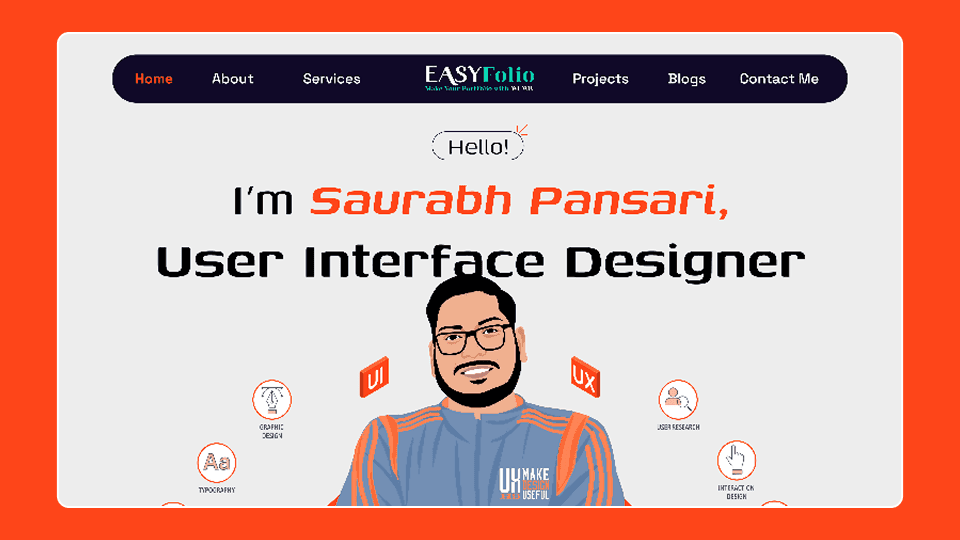
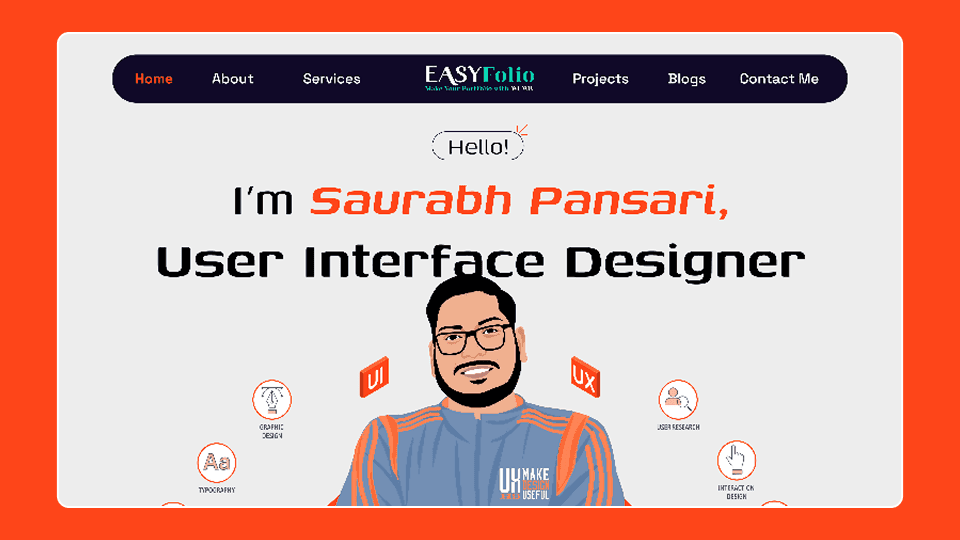
The hero section introduces the designer and highlights their role in UI and UX design.

The about section provides background information about the designer’s experience and approach to design.

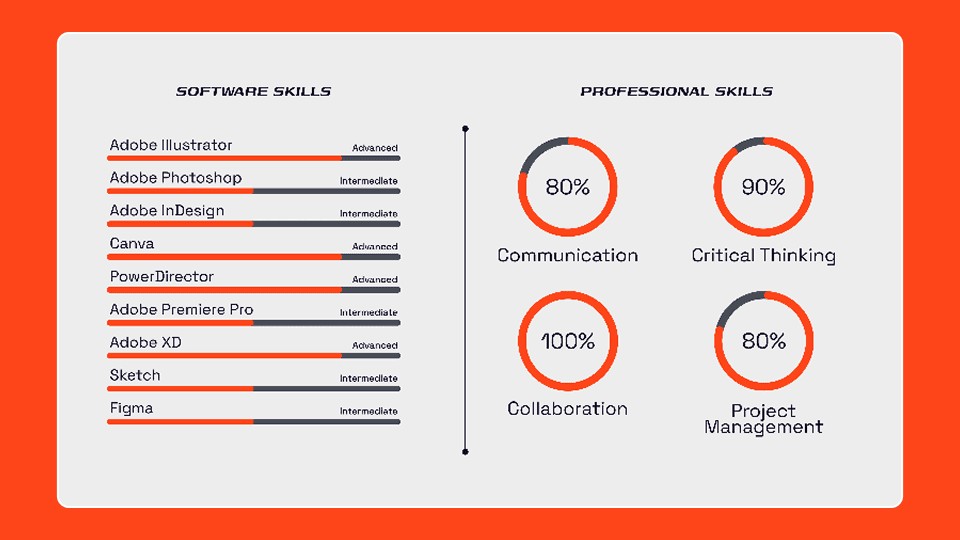
The skills section visually represents both technical and professional skills using progress indicators.

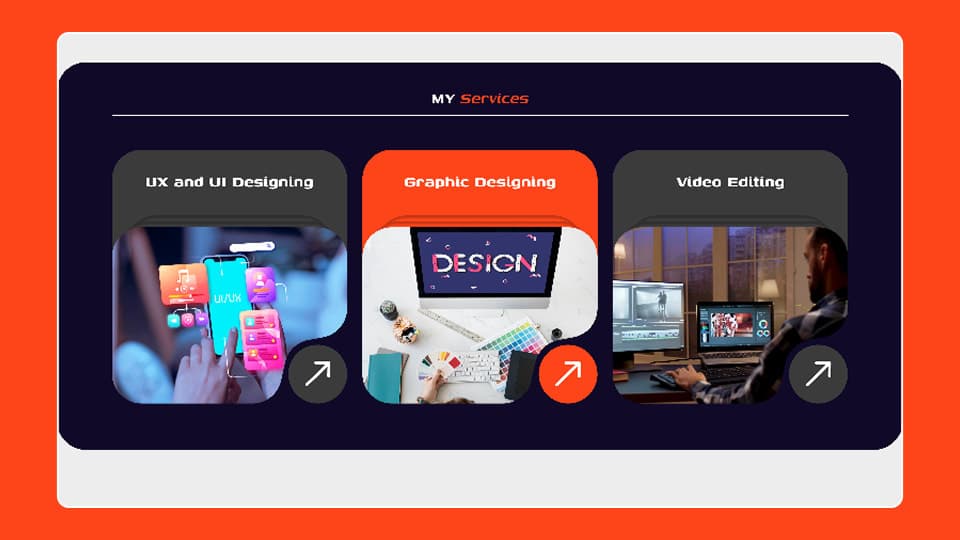
The services section showcases the types of design services offered such as UI design, graphic design, and visual editing.

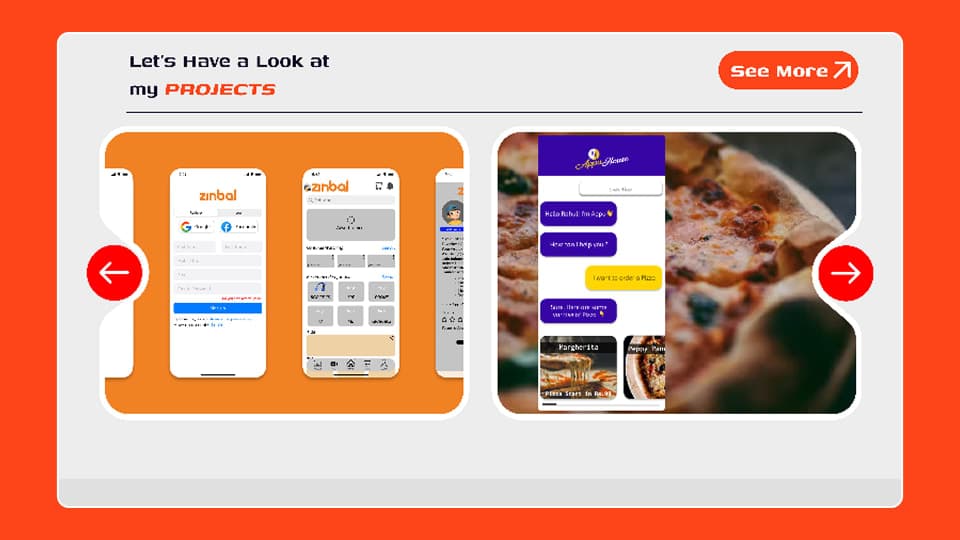
The projects section displays selected design work and allows visitors to explore case studies.

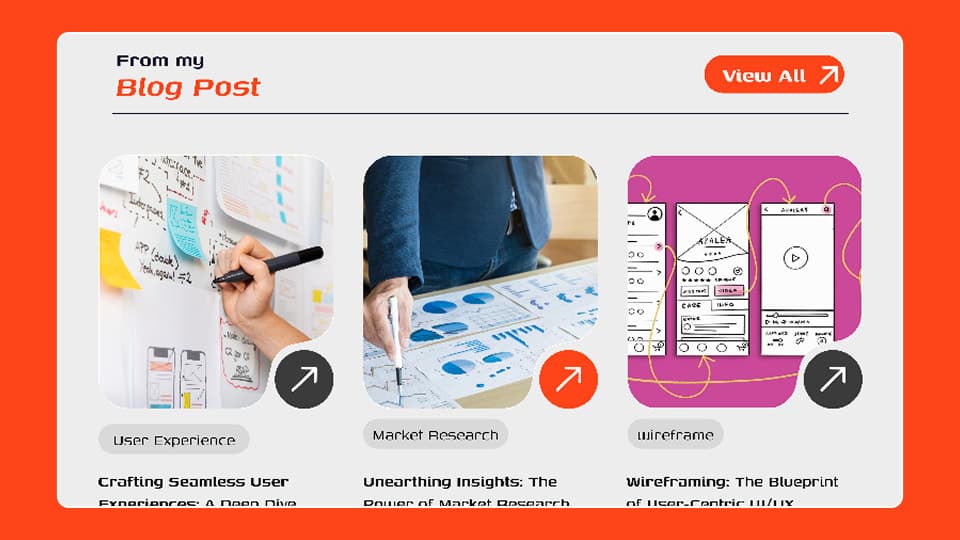
The blog section provides design insights, educational content, and articles related to user experience.

The testimonials section highlights feedback from clients and collaborators.

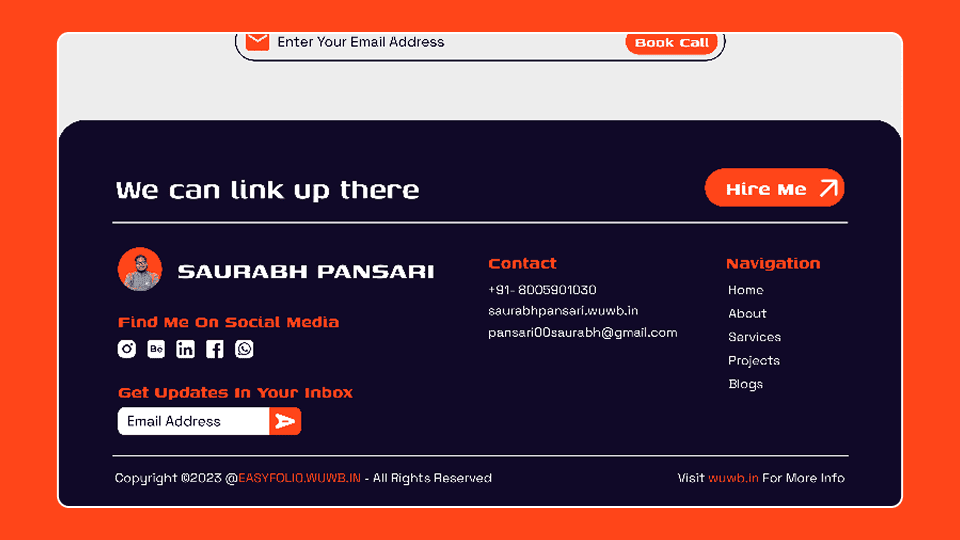
The contact section allows visitors to easily connect with the designer for project inquiries.

8. Information Architecture

The homepage introduces the designer and highlights key sections of the portfolio.

The about section explains the designer’s background and design philosophy.

The skills section displays both technical tools and professional capabilities.

The services section presents the main design services offered.

The projects section showcases selected portfolio work and case studies.

The blog section contains articles and insights related to design topics.

The testimonials section provides feedback from previous collaborators or clients.

The contact section enables visitors to reach out for collaborations or project discussions.

9. Design Process

The design process focused on creating a clear narrative that guides visitors through the designer’s professional journey.

Initial research involved analyzing successful portfolio websites to understand how designers present their work and skills.

Wireframes were created to structure the homepage and define the placement of key sections such as projects, skills, and services.

The UI design stage focused on creating a strong visual identity using bold typography, contrasting colors, and structured layouts.

Interactive prototypes helped ensure smooth navigation and a logical flow between sections.

10. Visual Design

The visual design combines dark backgrounds with vibrant accent colors to create a modern and energetic interface.

Bold typography highlights important sections and makes the designer’s name and role stand out.

Rounded cards and visual components create a friendly and approachable design style.

Illustrations and graphics add personality to the portfolio while maintaining a professional appearance.

11. Key Screens

The homepage introduces the designer and highlights featured sections such as services, projects, and blog articles.

The about section provides detailed information about the designer’s experience and approach to design.

The skills section visualizes both technical tools and professional capabilities.

The services section highlights the types of design work offered.

The projects section showcases selected design work and allows visitors to explore case studies.

The blog section provides educational content related to design practices.

The testimonials section displays feedback from previous clients or collaborators.

The contact section provides a simple way for visitors to reach out and start a project discussion.

Key Screens 1
Key Screens 2
Key Screens 3
Key Screens 4
Key Screens 5
Key Screens 6

12. Responsive Design

The portfolio was designed to be responsive across desktop, tablet, and mobile devices.

Layouts adjust dynamically to ensure readability and easy navigation on smaller screens.

Mobile layouts prioritize vertical scrolling and simplified navigation to provide a smooth browsing experience.

13. Design Challenges

One of the key challenges was balancing personal branding with professional presentation.

The portfolio needed to showcase creativity while still maintaining clarity and usability.

Another challenge was organizing multiple types of content such as projects, blogs, testimonials, and services without overwhelming visitors.

14. Key Learnings

Designing a personal portfolio requires a balance between storytelling and usability.

Clear structure and visual hierarchy play an important role in helping visitors quickly understand the designer’s expertise.

The project reinforced the importance of presenting design work within meaningful case studies rather than simple visual galleries.

15. Final Outcome

The portfolio successfully presents the designer’s work, skills, and professional identity in a clear and engaging way.

Visitors can easily explore projects, learn about design capabilities, and connect with the designer for collaborations.

The website serves as a central platform for showcasing design expertise and building professional opportunities.

16. Figma Prototype Embed