Tagline: Designing a modern mobile shopping experience with interactive product discovery.
Role: UI/UX Designer
Timeline: 2 Days
Tools: Figma
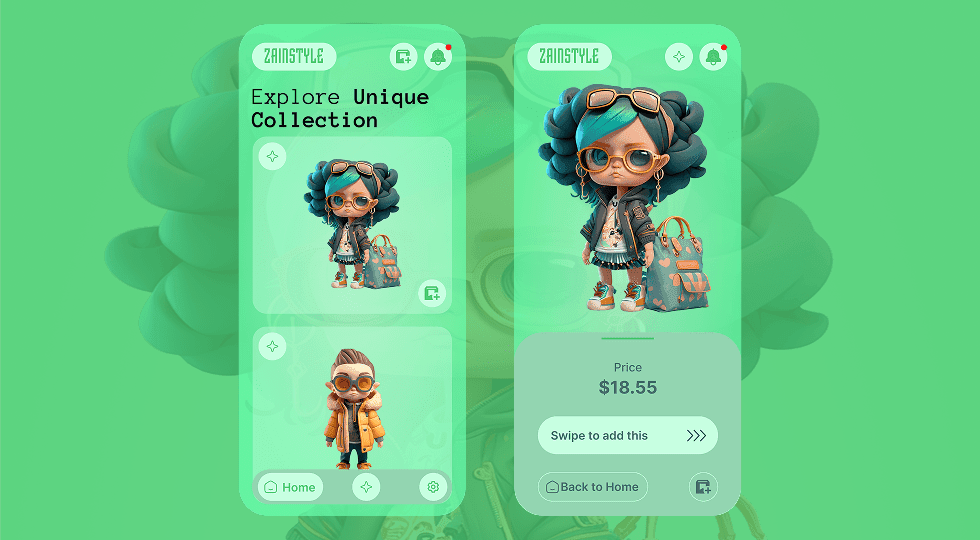
Designed a modern mobile shopping interface that allows users to explore fashion products through visually rich cards and interactive swipe gestures for adding items to the cart.
Tagline: Designing a modern mobile shopping experience with interactive product discovery.
Role: UI/UX Designer
Timeline: 2 Days
Tools: Figma
ZainStyle is a mobile shopping app concept designed to showcase fashion products in a visually engaging way.
The interface allows users to browse a collection of items using card-based layouts while maintaining a clean and modern visual style.
The design focuses on creating an interactive browsing experience where users can easily discover products and add them to their cart using swipe gestures.
Many mobile shopping apps present product listings in dense grids that make browsing overwhelming for users.
The challenge was to design a product discovery experience that feels engaging while maintaining simplicity and clarity.
The goal was to design a mobile interface that makes product discovery visually engaging and easy to navigate.
The design needed to highlight individual products while providing intuitive interactions for adding items to the cart.
The interface targets young online shoppers who enjoy discovering trendy fashion products through mobile apps.
These users expect visually appealing product presentations and quick interactions for browsing and purchasing items.
The design uses a card-based layout to present fashion items in a visually engaging format.
Large product illustrations help create strong visual appeal while keeping the interface simple and easy to navigate.
Soft gradients and glass-like UI elements enhance the modern aesthetic of the app.
Users browse fashion items through vertically stacked product cards.
When a product is selected, the interface expands to reveal a larger product preview along with pricing information.
Users can add items to their cart through a swipe interaction that creates a smooth and intuitive purchasing experience.
The layout is divided into a browsing screen and a product detail screen.
The browsing screen displays multiple product cards in a scrollable list.
The product detail screen highlights a selected item with price information and a swipe-to-add interaction.
The visual design uses soft green gradients and glassmorphism-inspired UI elements to create a fresh and modern appearance.
Large product illustrations serve as the primary visual focus while keeping the interface uncluttered.
The product browsing screen allows users to explore different fashion items through card-based layouts.
The product detail screen displays a selected item along with price information and a swipe interaction for adding the product to the cart.
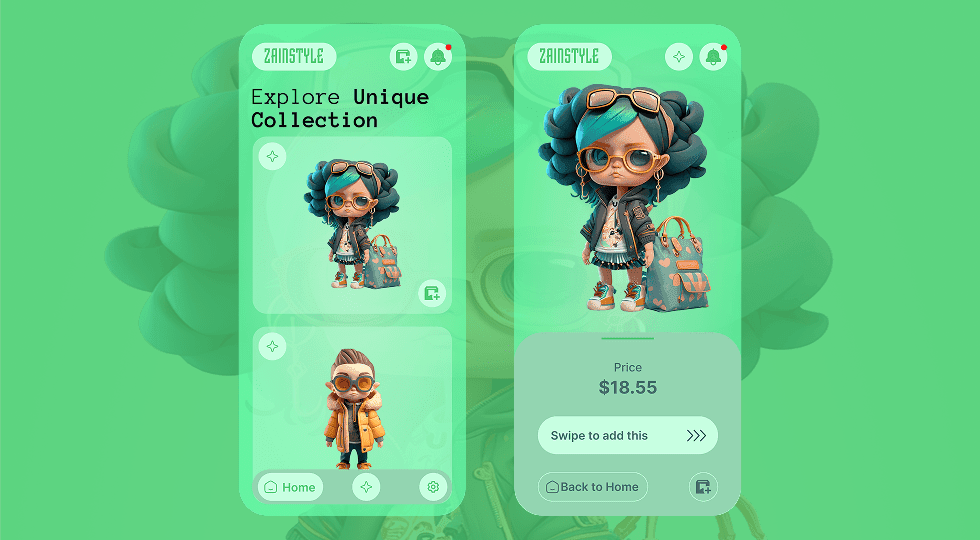
The final design creates a visually engaging shopping experience that simplifies product discovery while maintaining a clean and modern mobile interface.
Designing mobile shopping experiences requires balancing visual appeal with usability.
Using card-based layouts and intuitive gestures can make product discovery feel more interactive and enjoyable for users.
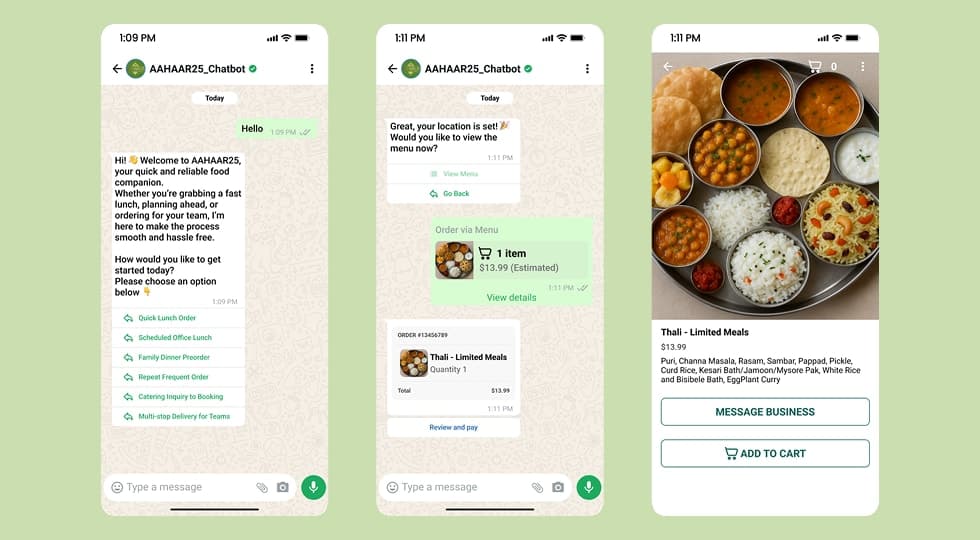
A WhatsApp-based chatbot designed to streamline food ordering and provide real-time assistance for event visitors at AAHAAR25.
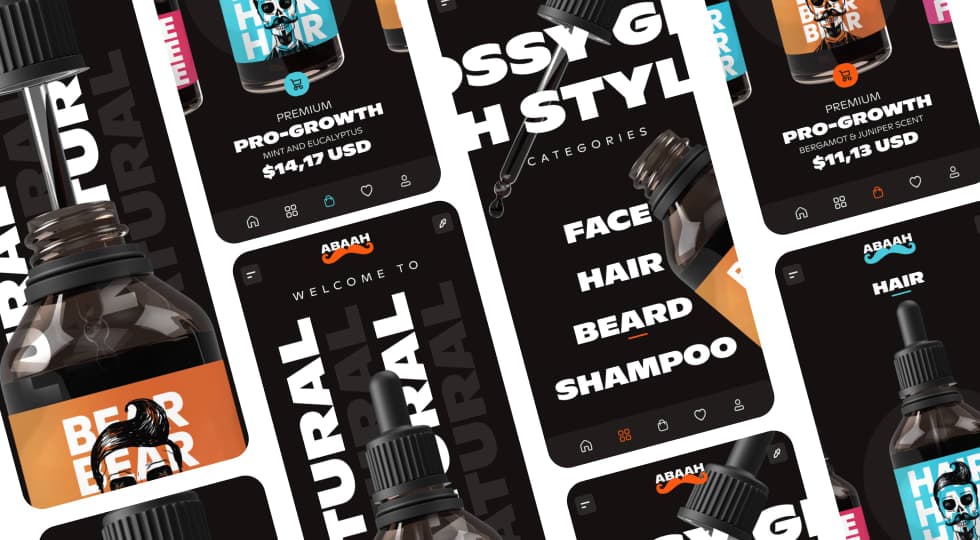
A modern mobile e-commerce concept designed for men’s grooming products, focusing on bold product visuals, category-driven browsing, and a premium shopping experience.
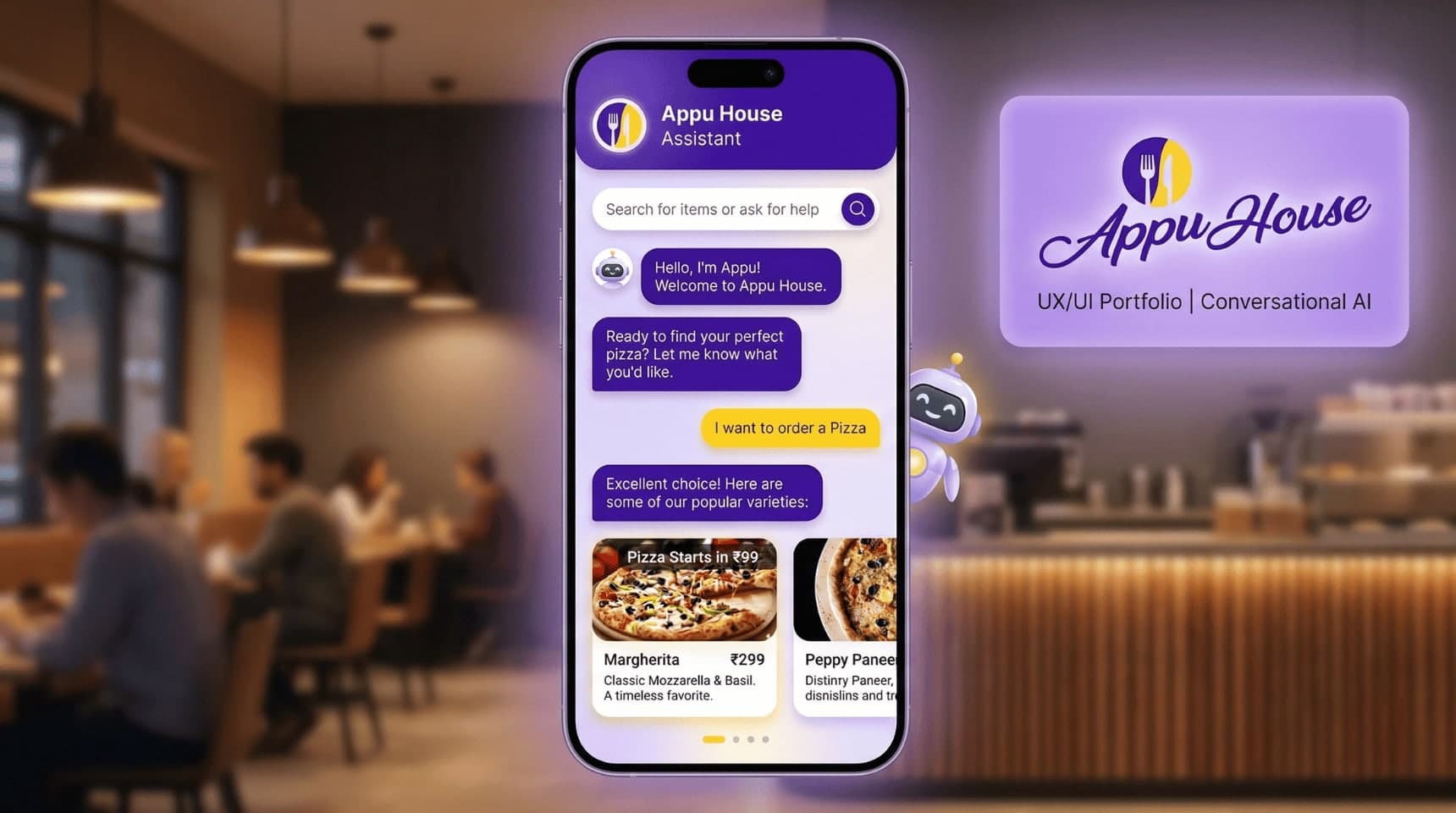
Designed a conversational food-ordering chatbot for Appu House Cafe, simplifying menu discovery and ordering through a chat-based interface to improve ordering speed and user engagement.
Discover the core UI design principles that help designers create visually clear, consistent, and effective digital interfaces.
Discover practical dashboard UX design principles that help designers present complex data clearly and improve user decision making.